How To Fix Your TV If You Couldn't See The Timeouts On Monday Night Football

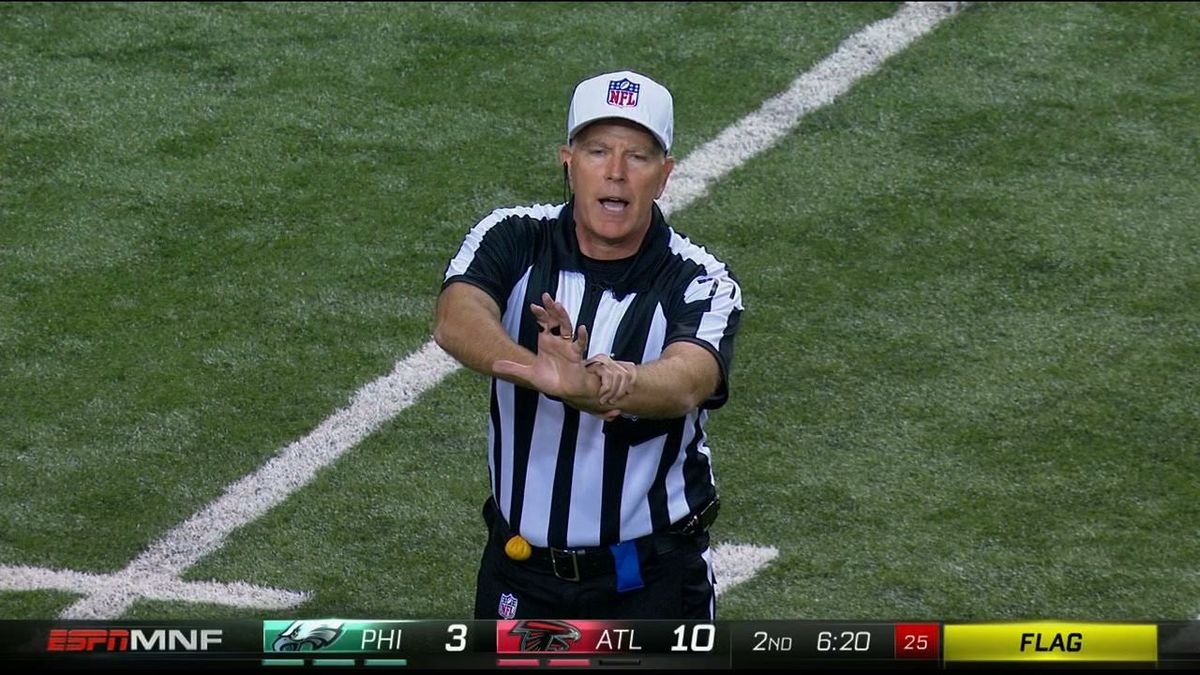
A lot of people complained last night that ESPN’s new, flashy graphics system for Monday Night Football no longer showed how many timeouts each team had remaining. That’s not true! As you can see above, the timeouts are clearly displayed beneath each team’s logo. If you couldn’t see those, then your TV isn’t set up properly. We’re going to help you fix that.
As illustrated by our Lifehacker pals, the issue here is something called overscan. For reasons related to old-timey TV, many televisions come shipped with this feature unnecessarily enabled—which both cuts off the edges of your screen and makes everything look worse by scaling it up. Here’s an example, using a screencap from Saturday’s Georgia-Vanderbilt game (broadcast in 1080i on CBS):
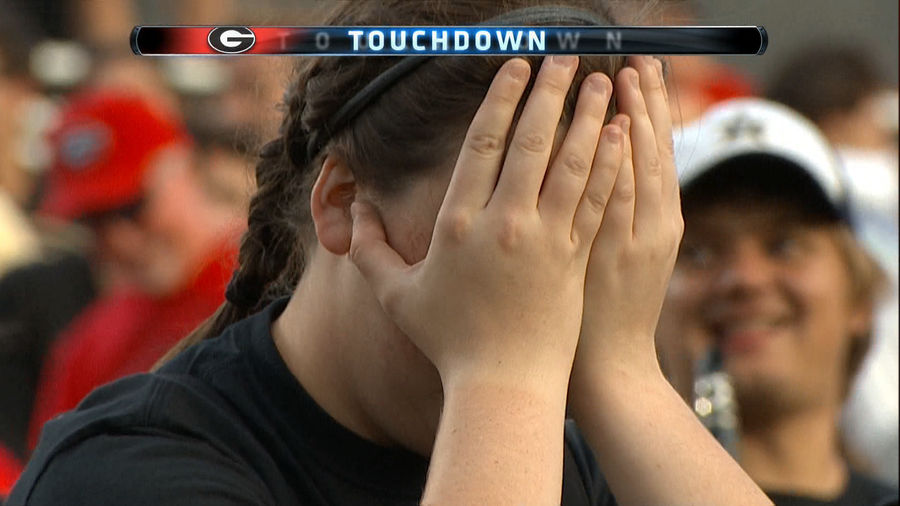
Now let’s crop it so it displays at a 1:1 pixel ratio (if you’re reading this on a computer, at least):
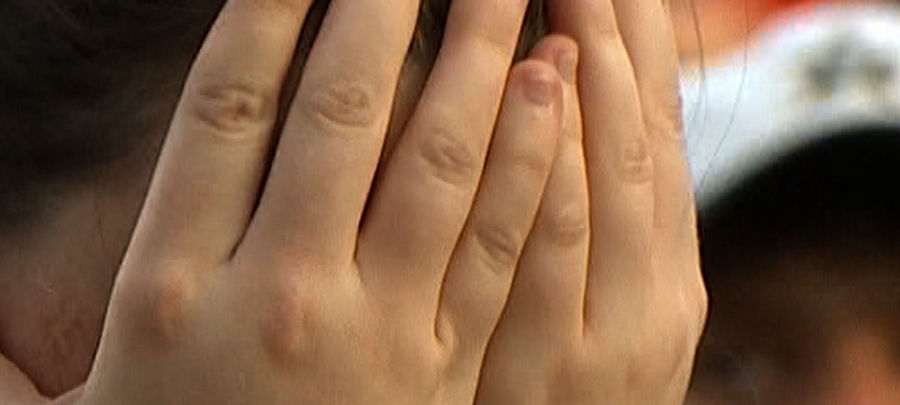
If you own a 1080p television and have overscan turned off, that’s what it would look like if you got right up close to it. But if your TV has overscan enabled—which, given all the complaints during last night’s games, is likely—that 5 percent of zoom makes everything look a lot worse:
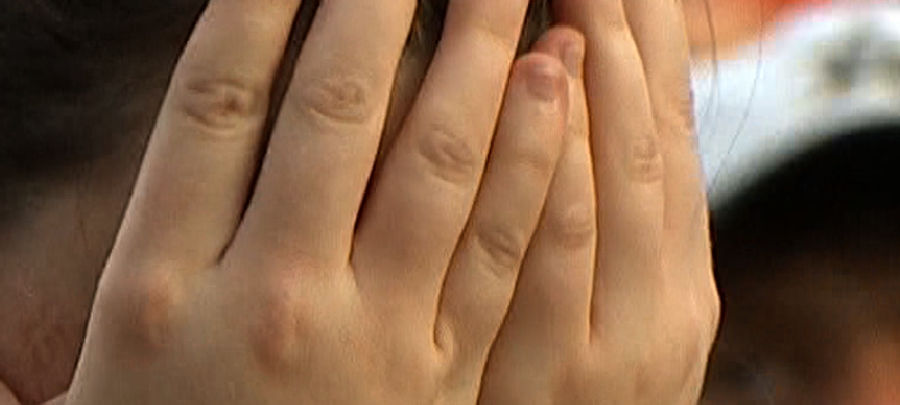
Simply put, if you own a 1080p television and haven’t set it to full-frame/1:1/Full Pixel mode, you’re missing out on the point of having a crisp 1080p panel to begin with. So let’s fix it!
Readers reported the following settings work, depending on your TV:
Sharp: Dot by dot
Sony: Full pixel
Samsung: Screen fit
Panasonic: HD Size 2
LG: Just Scan
Vizio sets have a range of options, but your best bet is to just turn both horizontal and vertical zoom to zero. (ESPN, as a 720p channel, gets upscaled by your TV already—but by reducing the amount it scales up, you’ll end up with a much crisper picture that’ll actually, y’know, let you see all of it for the first time). Make sure your cable or satellite box is transmitting a native signal, too—if it’s converting from 1080i to 720p or vice versa, you’re getting an even worse picture.
Given all the social-media complaints—and given that most people have no idea that their TVs are displaying suboptimal pictures—we fully expect ESPN to change its graphics next week to make them more intrusive but draw fewer complaints. That sucks! We’ve been waiting years for a network to finally make the most of HDTV’s full resolution, and ESPN finally did it—only to find that TV manufacturers ruined the whole thing. But even if that happens, we’ve given you what you need to get a better picture.
To contact the author of this post, write to tim@deadspin.com ( PGP key) or find him on Twitter @bubbaprog.

Britney’s HCL Saga Shows How Murky High Stakes Poker Is
5 Fights the UFC Should Make After Rosas Jr. vs. Barcelos
- MLB Playoff Futures: Three Best Bets for the 2026 Postseason
- Eagles vs. Bears MNF Week 3 Betting Total Picks and Predictions
- Rams vs. Broncos Sunday Night Football Best Betting Pick
- MLB Best Bets: Three Picks for the Final Day of the Regular Season
- UFC Vegas 121 Underdogs: Why Alatengheili Is Worth a Look at +300
- UFC Vegas 121 Predictions: Best Bets for Saturday’s Fight Card
- UFC Vegas 121 Line Movement: Two Betting Favorites Have Completely Flipped